
State Pension P60 Online Gov UK Login
If you receive a UK State Pension and need to view or download your annual P60, you can access it online through your Personal Tax Account on Gov.uk. You will need a Government Gateway user ID or a GOV.UK One Login to sign in. The P60 shows your total State Pension paid in the tax year (6 April to 5 April) and any tax deducted under PAYE.
Important distinction: This article covers the UK State Pension system. If you are looking for your US Social Security benefit statement, go to ssa.gov/myaccount instead. The two systems have different eligibility rules, tax treatments, and online portals.
What a State Pension P60 Shows and When You Need It
Your State Pension P60 is issued by the Department for Work and Pensions (DWP) after each tax year ends. The document includes:
- Total State Pension amount paid in the tax year
- Tax deducted (if any) under PAYE
- Your tax code for State Pension purposes
You need this document for:
- Filing a Self Assessment tax return if you have other income (rent, dividends, private pension)
- Verifying your income for a mortgage, loan, or rental application
- Confirming the correct tax rate was applied to your pension income
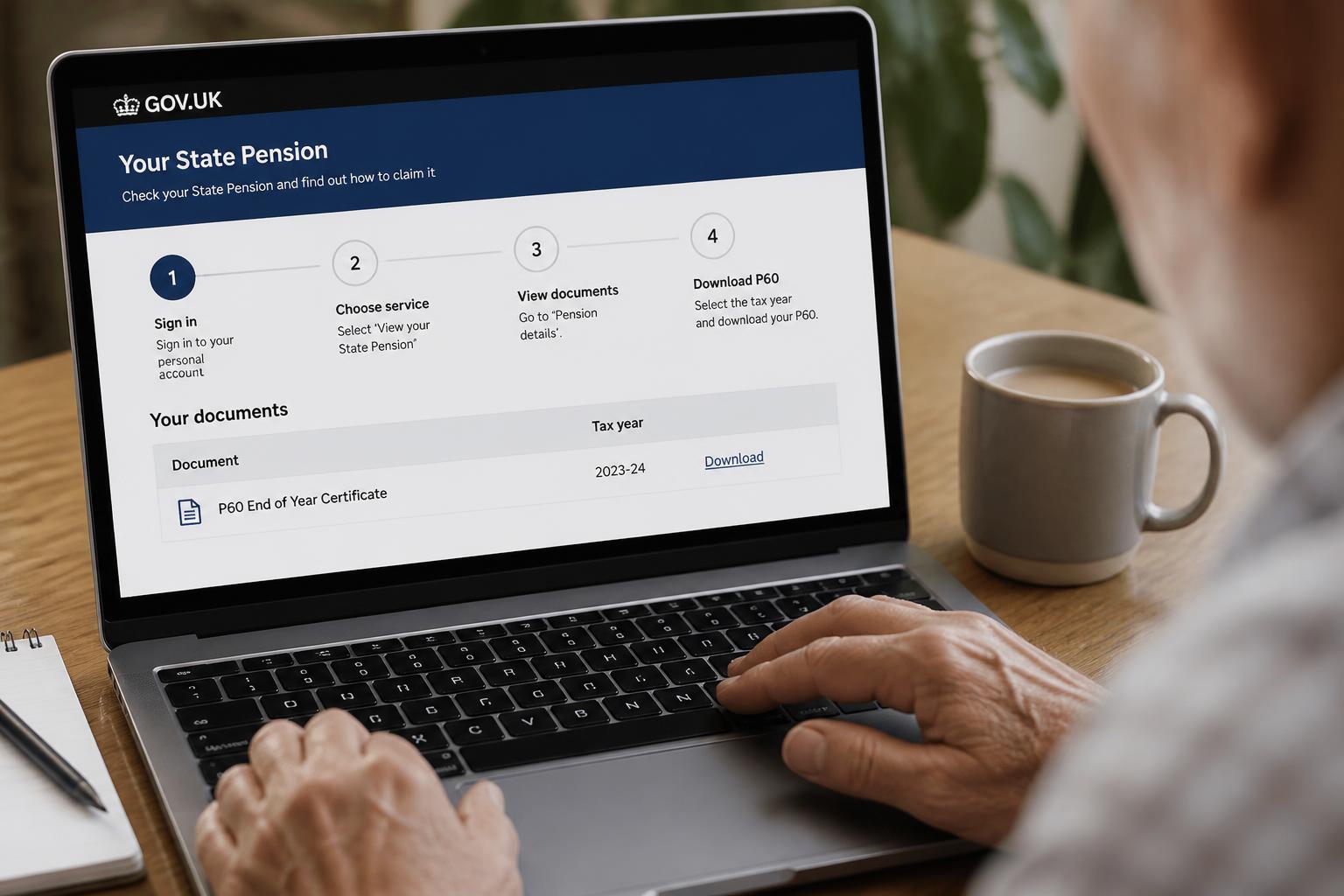 Concrete example: For the 2023/24 tax year, the full new State Pension rate was £203.85 per week. If you received that full amount for 52 weeks, your P60 would show approximately £10,600.20 in total pension income, with any tax deducted shown separately based on your tax code. A common tax code for State Pension is BR (basic rate 20%), meaning no tax-free personal allowance is applied to that income.
How to Access Your State Pension P60 Online: Step-by-Step Flow
The process takes about 10 minutes if you already have a Gov.uk account. Follow these steps and checkpoints to avoid common delays.
Before you start, prepare the following:- Your National Insurance number
- A valid UK passport, UK driving licence, or recent payslip/P60 (for identity verification)
- An email address and a phone number for 2-step verification (if creating a new account)
Step 1: Go to the correct portal
Navigate to www.gov.uk/personal-tax-account or www.gov.uk/check-your-state-pension. Both routes lead to the same dashboard.
Step 2: Sign in with your chosen method
You have three options:
- GOV.UK One Login – the newer unified account system (recommended for new users)
- Government Gateway user ID – the older system, still widely used
- GOV.UK Verify – being phased out; consider switching to One Login if you still use this
Step 3: Locate your State Pension summary
Once signed in, select “Check your State Pension” from the dashboard. Your most recent annual statement appears as a summary. Look for a link or section labeled “P60,” “Annual statement,” or “View your P60.”
Step 4: View or download the PDF
The P60 for the most recently completed tax year appears as a downloadable PDF. You can view it in your browser or save it to your device. P60s are typically available online by late May or early June after the tax year ends—for example, the 2024/25 P60 should appear by June 2025.
Step 5: Save a copy immediately
Download and save the PDF to a secure folder. The online system may only retain P60s for the current and previous tax year. If you need an older P60 later, you will have to request a paper copy from the DWP Pension Service, which can take several weeks.
Checkpoint: What to do if you hit a problem
| Issue | Action |
|---|---|
| Forgot your Government Gateway ID or password | Use the “I have forgotten my user ID” or “I have forgotten my password” links on the sign-in page. You’ll need your National Insurance number and a valid ID. |
| No account yet | Register for a GOV.UK One Login at www.gov.uk/one-login. Registration takes about 15 minutes. |
| P60 not yet available | P60s are usually published by late May or early June. If you are checking in April or early May, wait until mid-May before contacting support. |
|
| State Pension not appearing in your account | Your State Pension record may not be linked to your Personal Tax Account. Contact the DWP Pension Service at 0800 731 7898 (UK) or +44 191 218 7777 (outside the UK), or use the web form at www.gov.uk/contact-pension-service. |
| “No P60 available” message persists beyond June | Call the Pension Service. The system may still be processing your record, or your State Pension started partway through the tax year. |
When the Online P60 System Works (and When It Doesn’t) – Applicability Boundary
The online portal covers most standard cases, but not all. Here is the clear boundary:
- Works for: Everyone receiving a UK State Pension who has a Personal Tax Account linked to their National Insurance number, provided the P60 is from the current or previous tax year.
- Does not work for:
- P60s older than two years – these are often removed from the portal. You must request a paper copy from DWP, which takes 2–4 weeks.
- Deferred State Pension – if you deferred your State Pension, the P60 may show only the basic amount until the deferral increase is fully processed. Check your State Pension forecast separately at www.gov.uk/check-state-pension.
- Inherited State Pension – if you inherited part of a deceased spouse’s or partner’s State Pension, that amount may appear as a separate entry or not at all. Contact the Pension Service for a detailed breakdown.
- Overseas residents – you can still access your Personal Tax Account from outside the UK, but 2-step verification may not work with a non-UK phone number. Use a passport for identity verification instead. If the phone number issue persists, call the Pension Service at +44 191 218 7777.
Expert Tips for Managing Your State Pension P60 Online
Tip 1: Verify your tax code on the P60 every yearYour State Pension tax code is typically BR (basic rate, 20%) or D0 (higher rate, 40%). A wrong tax code means HMRC may deduct too much or too little. Compare the code on your P60 with the tax code letter HMRC sent you.
- Actionable step: Check the code within 30 days of receiving your P60.
- Common mistake: Assuming the code is correct without checking—HMRC sometimes applies a default code that doesn’t account for other income you reported. If the code looks wrong, call HMRC at 0300 200 3300.
The online portal may remove P60s older than two years. If you need an older P60 for a mortgage application or tax query, you will have to contact DWP for a paper copy, which takes 2–4 weeks.
- Actionable step: Set a calendar reminder for early June each year to download your new P60 and save it to a folder you can access later.
- Common mistake: Relying on the portal to keep your records indefinitely. Assume it won’t—save a local copy.
If you have both a Government Gateway ID and a GOV.UK One Login, pick one and stick with it. Switching between them can create confusion if your State Pension record is linked to one but not the other.
- Actionable step: Go to your Personal Tax Account and look under “Accounts linked to this service.” If your State Pension appears under one account but not the other, you can request a link transfer by contacting the Pension Service.
- Common mistake: Creating a second login because you forgot your original credentials. This can separate your records and block access to your P60.
Official Resources
- Gov.uk Personal Tax Account: www.gov.uk/personal-tax-account
- Check your State Pension: www.gov.uk/check-your-state-pension
- GOV.UK One Login registration: www.gov.uk/one-login
- Contact the DWP Pension Service: www.gov.uk/contact-pension-service | Telephone: 0800 731 7898 (UK) or +44 191 218 7777 (outside UK)
- HMRC Self Assessment helpline: www.gov.uk/self-assessment-helpline | Telephone: 0300 200 3310
For US Social Security benefit statements, visit ssa.gov/myaccount. The UK State Pension and US Social Security are separate systems with different eligibility rules, tax treatments, and online portals.
Disclaimer: This article provides general guidance about accessing UK State Pension P60s online. Tax rules, pension administration, and online portal features may change. For advice specific to your personal circumstances, consult HMRC, the DWP Pension Service, or a qualified financial adviser.Explore This Topic
- Back to General Pension Faq
- Back to General Pension Faq
Related guides in this cluster:
See All States: Compare pension tax rules across all 50 states with our interactive State Pension Tax Comparison Table.

Michael Reynolds is a retirement benefits researcher and the lead author at Pension FAQ. With over 12 years of experience analyzing employer pension plans, state retirement systems, and Social Security policy, he specializes in translating complex pension rules into clear, actionable guidance for American workers and retirees.
Michael holds a Bachelor’s in Economics from the University of Michigan and has completed the Certified Retirement Counselor (CRC) program. His work has been cited by financial planners and HR professionals helping employees navigate their pension options.
At Pension FAQ, Michael leads a team covering employer plan access, state pension taxation, teacher and public employee retirement systems, professional sports pensions, and pension calculation rules. All content is rigorously reviewed against official plan documents and IRS guidelines.
Disclaimer: Pension FAQ content is for educational purposes only and does not constitute financial, tax, legal, or retirement benefits advice. Always consult your plan administrator or a qualified professional for decisions about your specific situation.